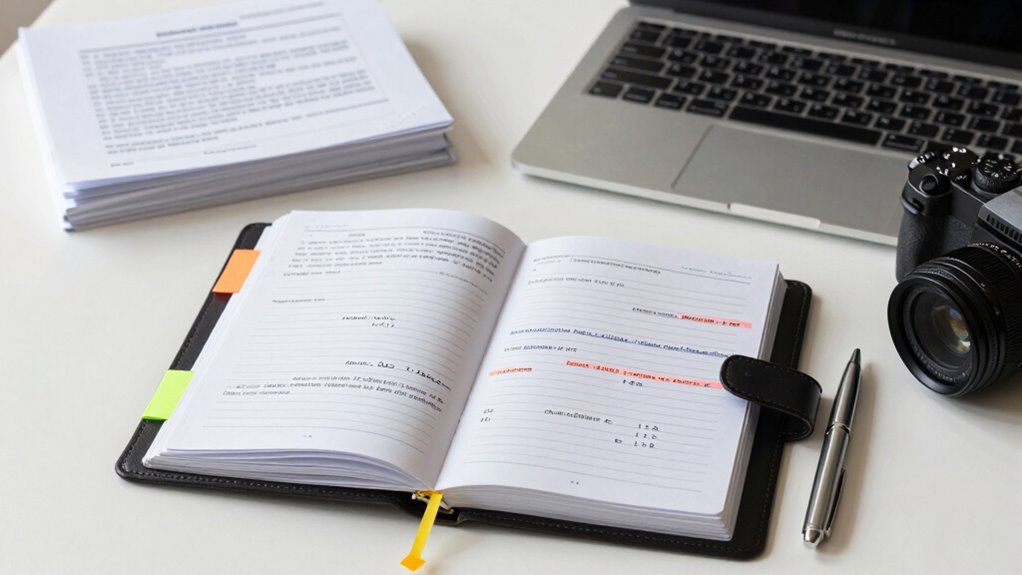

To keep court and mediation notes organized, create consistent systems like templates for summaries and witness statements, and categorize notes by case or topic for quick access. Use labeled folders or digital platforms with tags and hyperlinks, and regularly back up and review your files. Cross-reference physical and digital notes to prevent oversight. Maintaining organized notes reduces stress and saves time, helping you stay prepared. Discover more strategies to master your case management with effective organization.
Key Takeaways
- Use standardized templates and consistent formats for all notes to facilitate quick review.
- Categorize and tag notes by case, date, or topic for easy retrieval.
- Maintain both digital and physical filing systems, regularly cross-referencing and updating.
- Back up digital notes securely and encrypt sensitive information.
- Review and clean notes regularly to keep information current and relevant.

Have you ever struggled to find a crucial detail buried in a pile of disorganized notes during a court or mediation session? If so, you’re not alone. Keeping your notes organized is essential for effective case management and successful outcomes. One of the most efficient ways to do this is by implementing a solid case file management system. This involves categorizing and storing documents systematically, whether digitally or physically, so you can easily access what you need without wasting time. When you maintain a clear structure for your case files, you reduce the chances of overlooking critical details, and you’ll feel more confident during proceedings.
Organized notes and files boost confidence and ensure no critical details are overlooked during legal proceedings.
Digital note systems have revolutionized how legal professionals manage their information. Instead of rifling through stacks of paper, you can use secure, searchable platforms that streamline your workflow. These systems allow you to categorize notes by case, date, or topic, making retrieval quick and straightforward. With digital notes, you can tag important points, add hyperlinks to relevant documents, and even synchronize information across devices. This guarantees your notes are always up-to-date and accessible from anywhere. Plus, digital note systems reduce clutter, eliminate the risk of losing physical documents, and make sharing information with colleagues or clients much easier. Incorporating digital content organization techniques can further enhance your overall case management efficiency. Additionally, adopting file organization best practices can help prevent disorganization from creeping into your workflow over time.
To maximize your organization efforts, develop a consistent method for taking and storing notes. For instance, create templates or standardized formats for meeting summaries, witness statements, or legal research. This consistency helps you quickly scan through notes and find pertinent details without deciphering varied handwriting or formats. When you combine this with a reliable digital note system, your case file management becomes much more efficient. Always back up your digital notes regularly to prevent data loss, and consider encryption for sensitive information to maintain confidentiality. Implementing organization techniques that suit your workflow can help you stay disciplined and prevent clutter from accumulating. Additionally, utilizing color coding methods can help you visually distinguish different types of notes or case priorities, making your workflow even more streamlined.
Lastly, keep your physical notes organized if you use paper. Use labeled folders or binders for each case, and keep notes in chronological order or by topic. Cross-reference physical notes with your digital system to ensure nothing gets lost or overlooked. Regularly review and clean your files to remove outdated or irrelevant information. This habit keeps your case management lean, focused, and ready for any court or mediation session.
Ultimately, staying organized isn’t just about neatness — it’s about being prepared. Using case file management techniques and digital note systems ensures you can find what you need in moments, reducing stress and increasing your effectiveness. With disciplined organization, you’ll spend less time searching and more time focusing on your clients and case strategies.

Law School Case Brief Notebook: Case Brief for Law Students | Case Brief Template | 100 Cases | 8.5"-inch X 11"-inch
As an affiliate, we earn on qualifying purchases.
As an affiliate, we earn on qualifying purchases.
Frequently Asked Questions
What Are the Best Tools for Digital Note Organization?
You should use tools like Evernote or OneNote for digital note categorization, as they allow you to organize notes into notebooks and tags easily. Cloud storage options like Google Drive or Dropbox guarantee your notes are accessible from anywhere and backed up securely. These tools help keep your court and mediation notes well-organized, searchable, and protected, making your workflow smoother and reducing the risk of losing important information.
How Often Should I Review and Update My Notes?
Think of your notes as a garden that needs tending. You should review your notes regularly, at least once a month, to keep everything fresh and relevant. During note review, identify areas needing updates and add new insights. Consistent note updates guarantee your records remain accurate and useful, helping you stay prepared and confident in court or mediation. Regular care keeps your notes thriving and ready for any situation.
How to Handle Confidential or Sensitive Information?
To handle confidential or sensitive information, you should follow strict confidentiality protocols and guarantee secure storage. Always limit access only to authorized individuals, and use encrypted digital files or locked physical containers to protect the notes. Regularly review and update your security measures to prevent breaches. By maintaining these practices, you protect client privacy and uphold professional standards, keeping your notes both organized and secure.
Can I Use Templates for Court and Mediation Notes?
Using templates for court and mediation notes is like having a map on a journey—you stay on track and cover all necessary points. You can definitely use note-taking techniques with templates, customizing them to fit each case. Templates streamline your process, ensuring consistency and completeness, while allowing flexibility for unique details. This approach helps keep your notes organized and accessible, making your workflow smoother and more efficient in high-pressure situations.
How to Organize Notes Across Multiple Cases Effectively?
To organize notes across multiple cases, create a dedicated folder or digital system for each case. Use clear labels like case chronology and witness statements to categorize notes. Regularly update each case’s files, maintain a consistent format, and include dates for easy referencing. This way, you can quickly locate case chronology details or witness statements, ensuring efficient management and reducing the risk of missing critical information.
Conclusion
So, now you’re all set to conquer the chaos of court and mediation notes. With these tips, your files will be so organized, even a judge might mistake them for a work of art. Remember, a cluttered desk is a cluttered mind—unless your goal is to become the next amateur archaeologist. Stay diligent, stay organized, and maybe, just maybe, you’ll impress everyone with your impeccable filing skills—no ancient scrolls required.