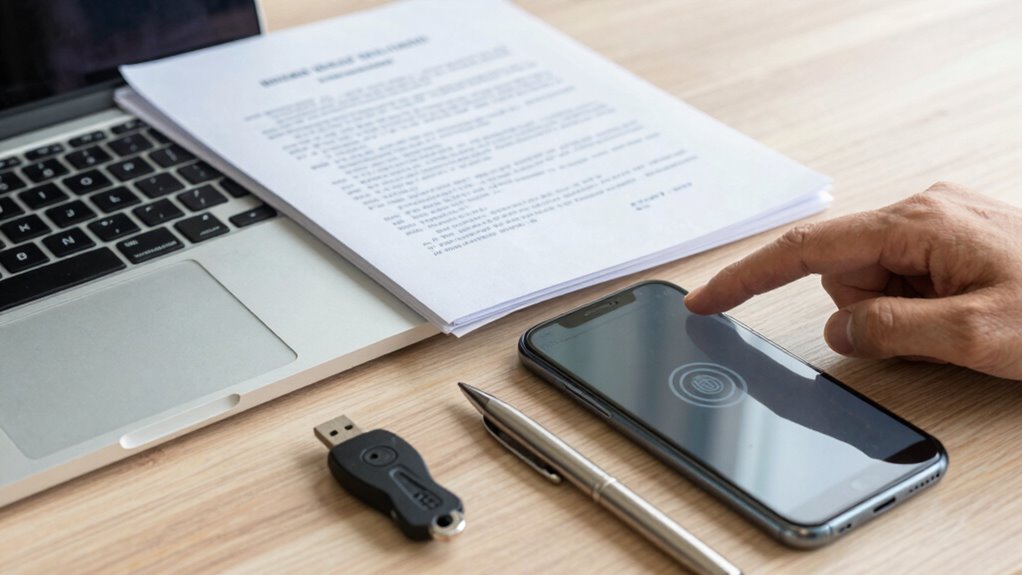

During divorce, you should change all your passwords to strong, unique ones and enable two-factor authentication for extra security. Use trusted password managers to store your credentials safely and update your software regularly. Encrypt your devices and enable tracking features in case they get lost or stolen. Remove any linked accounts or apps connected to your ex-partner. Stay cautious about sharing sensitive info online and limit device access in communal spaces. Keep going for more tips to stay fully protected.
Key Takeaways
- Change all passwords to strong, unique combinations and enable two-factor authentication for added security.
- Regularly update device software and security patches to fix vulnerabilities.
- Remove or unlink shared accounts and apps connected to the ex-partner.
- Encrypt sensitive data on devices and use trusted password managers for storing credentials securely.
- Enable device tracking features and consider remotely wiping data if devices are lost or compromised.

Divorce can be a stressful and complex process, and protecting your digital privacy is more important than ever. During this time, your digital footprints—everything from your browsing history to social media activity—can reveal sensitive information that you want to keep private. It’s vital to be proactive about safeguarding your online presence to avoid any potential misuse of your data. Start by reviewing your privacy settings on social media accounts and think about temporarily deactivating or limiting access to these profiles if you’re concerned about your ex-partner viewing your posts or messages. Clearing your browsing history and cookies can also help reduce traces of your online activity.
Email security is another essential aspect to consider. Divorce often involves exchanging sensitive information via email, and you don’t want your personal data falling into the wrong hands. Change your passwords immediately for all email accounts and make sure they are strong, unique, and difficult to guess. Avoid using easily accessible information like your birthdate or common words. Enable two-factor authentication wherever possible, adding an extra layer of protection to prevent unauthorized access. Be cautious about forwarding or sharing emails related to your divorce, as this information could be stored or forwarded unintentionally. Additionally, understanding digital privacy laws can help you better protect your rights during this process.
In addition, think about creating new email accounts dedicated solely to your divorce proceedings and personal communications. This way, you can keep sensitive conversations separate from your regular email and reduce the risk of someone accessing confidential information. It’s also wise to log out of all accounts on shared or public devices and avoid saving passwords on browsers. Use a trusted password manager to securely store your login details, and make sure your devices are protected with strong, updated passwords or biometric locks. Being aware of privacy policies helps you understand what data is collected and how it’s used, which is crucial for maintaining control over your personal information. Implementing encryption on your devices adds an extra layer of security to protect your data from unauthorized access. Furthermore, reviewing your cookie preferences can help limit the amount of online tracking and data collection related to your browsing activities.
Pay attention to the security of your devices as well. Encrypt your phone and computer data, and enable device tracking features so you can locate or wipe your device if it gets lost or stolen. Remove any apps or accounts linked to your ex-partner that could grant them access to your personal information. Be cautious about what you store on your devices—avoid keeping sensitive documents or passwords unencrypted. Regularly update your software and security patches to guard against vulnerabilities that could be exploited by hackers or malicious actors. Additionally, being aware of local laws about digital privacy can help you understand your rights and responsibilities during this process.
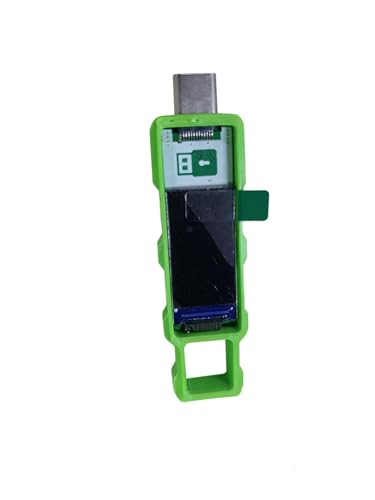
Password Keeper Offline Password Manager for Secure Storage (Green)
100% Offline & Secure Storage: This dedicated electronic device stores all your usernames, passwords, and notes locally. Your…
As an affiliate, we earn on qualifying purchases.
As an affiliate, we earn on qualifying purchases.
Frequently Asked Questions
Can I Change My Passwords Without My Spouse Knowing?
Yes, you can change your passwords without your spouse knowing, but it’s important to prioritize your digital privacy and personal security. Make sure you do this discreetly on your personal devices and accounts. Use strong, unique passwords and enable two-factor authentication where possible. Keep your new passwords safe and private, and avoid sharing them. Taking these steps helps protect your sensitive information during divorce proceedings, ensuring your digital privacy stays intact.
What Legal Steps Can I Take to Secure My Devices?
Worried about your devices during divorce? You should take legal steps to secure them, like requesting court orders for device encryption and data backup. You can also seek a temporary restraining order to prevent your spouse from accessing your data. It’s vital to document your efforts and consult with a lawyer to guarantee these measures are legally protected. Protecting your digital privacy is essential during this sensitive time.
How Do I Recover Access if I Forget My New Passwords?
If you forget your new passwords, use password management tools to reset or recover them easily. Check for password reset options via email or security questions. Prioritize digital security by updating your security questions and enabling two-factor authentication where possible. Regularly updating and securely storing your passwords helps prevent future access issues. Remember, maintaining tight password management is essential during divorce to protect your sensitive information.
Are There Risks in Changing Passwords During Divorce Proceedings?
Changing passwords during divorce can carry risks, such as potential legal complications or accusations of tampering. For example, if you change a password right before legal proceedings, it might be seen as obstructing discovery, impacting your digital privacy and emotional well-being. While safeguarding your information is essential, consider consulting a legal professional first to avoid unintended consequences and make certain your actions align with divorce laws.
Should I Inform My Attorney About All My Passwords?
Yes, you should inform your attorney about all your passwords to protect your digital privacy and guarantee your rights are maintained. Being honest helps your attorney advise you properly and prevent potential legal issues. Sharing this information can also reduce the emotional impact of hiding details, which might cause unnecessary stress or suspicion. Your attorney can guide you on managing sensitive information while safeguarding your privacy during the divorce process.

Thetis Pro FIDO2 Security Key, Two Factor Authentication NFC Security Key FIDO 2.0, Dual USB A Ports & Type C for Multi layered Protection (HOTP) in Windows/MacOS/Linux, Gmail, Facebook,Dropbox,Github
Check FIDO2 compatibility before purchase – Known limitations: ID Austria is not supported (requires FIDO2 Level 2). Windows…
As an affiliate, we earn on qualifying purchases.
As an affiliate, we earn on qualifying purchases.
Conclusion
Think of your passwords and devices as the keys to your future happiness—guard them carefully, like a precious treasure. During divorce, you hold the power to lock away what no longer serves you and unseal new possibilities ahead. Protecting these symbols of your personal life isn’t just about security; it’s about reclaiming control. Keep your keys safe, and step confidently into the next chapter, knowing you’ve secured your peace of mind along the way.

Bitdefender Total Security 2026 – Complete Antivirus and Internet Security Suite – 5 Devices | 1 Year Subscription | PC/Mac | Activation Code by Mail
SPEED-OPTIMIZED, CROSS-PLATFORM PROTECTION: World-class antivirus security and cyber protection for Windows (Windows 7 with Service Pack 1, Windows…
As an affiliate, we earn on qualifying purchases.
As an affiliate, we earn on qualifying purchases.
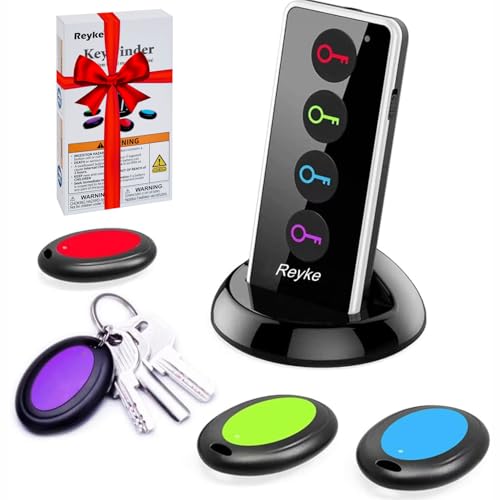
Reyke Key Finder, 80dB+ RF Item Locator Tags with 131ft. Working Range, Wireless Remote Tracker for Wallet, Phone, Glasses, Pet, 1 RF Transmitter & 4 Receivers
【4 Key Finders Locator with Sound】- Can't find your lost items? Choose Reyke item key finder locator, just…
As an affiliate, we earn on qualifying purchases.
As an affiliate, we earn on qualifying purchases.